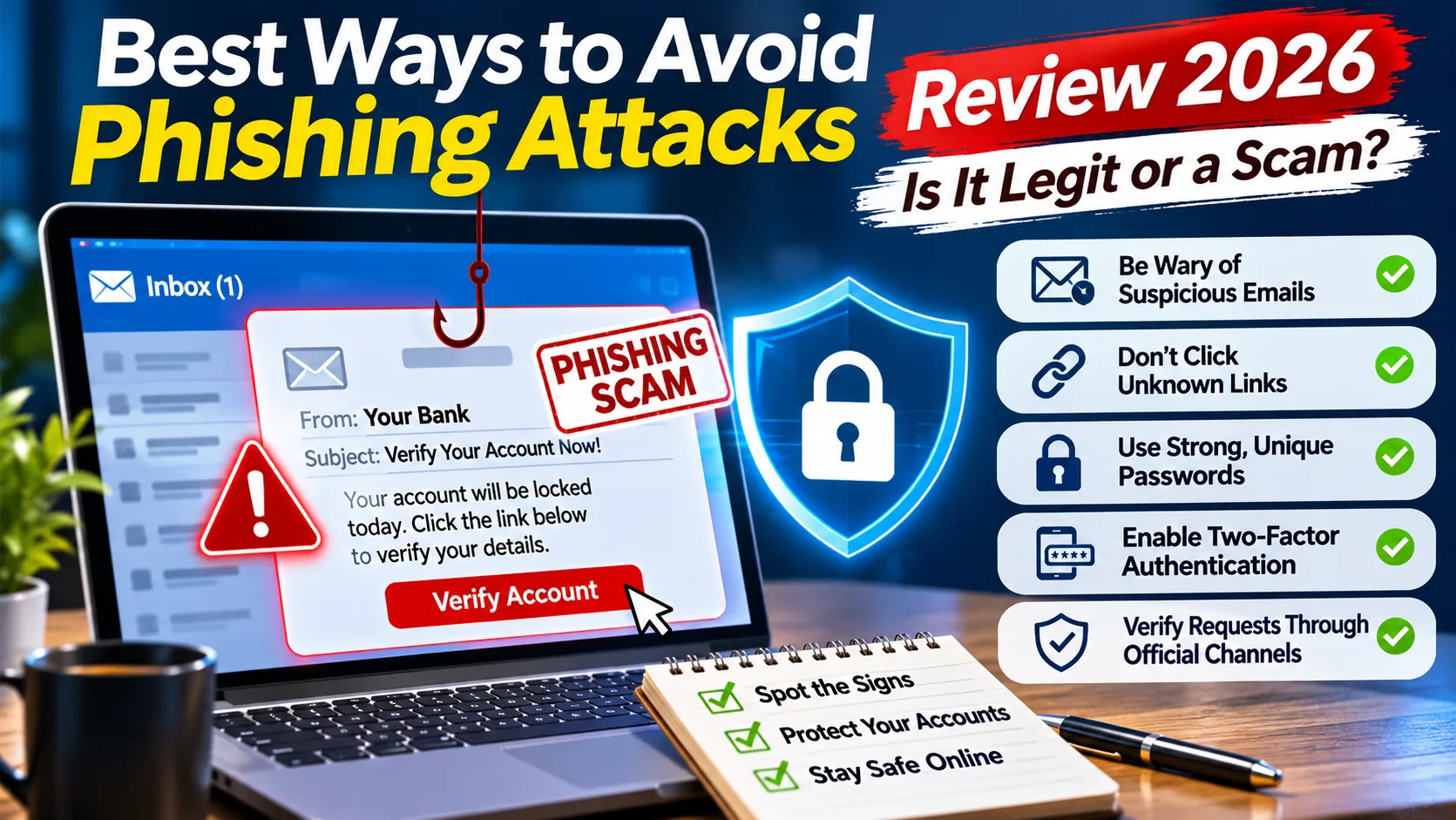
Phishing remains one of the most common ways criminals try to steal personal information, access online accounts and trick people into sending money. The safest approach is to treat unexpected messages with caution, avoid signing in through links you receive, and verify unusual requests through a separate, trusted channel. A message can look professional, use a familiar company logo and even appear to come from someone you know without being genuine. The good news is that a few consistent habits can make phishing attempts much easier to recognise and avoid.
This guide explains the best ways to avoid phishing attacks in 2026, including how to check suspicious messages, protect your accounts, recognise fake websites and respond if you accidentally share information.
What Is Phishing?
Phishing is a form of online deception in which someone pretends to represent a trusted person, company or organisation to persuade another person to reveal information, visit a fraudulent website, open an unsafe attachment or take an action that benefits the sender.
The message may appear to come from a bank, delivery company, online shopping platform, school, social media service or even a family member. Its purpose is to make the recipient trust the communication long enough to follow the instructions.
Information targeted by phishing attempts can include:
- Email addresses and account usernames.
- Passwords and account recovery details.
- Banking and payment information.
- Personal identification information.
- One-time verification codes.
- Information that could help someone impersonate you.
Phishing does not happen only through email. It can also arrive through text messages, phone calls, social media messages, online advertisements and fraudulent websites.
How Does a Phishing Attack Work?
A typical phishing attempt begins with an unexpected message. The sender claims that something requires attention, such as a delivery problem, suspicious account activity, an unpaid bill or a security issue.
The message then encourages the recipient to take an action. This could mean clicking a link, downloading a document, replying with personal information or entering login details on a website.
A fraudulent website may imitate the appearance of a genuine service. Someone who does not notice the difference might enter their credentials, believing they are signing in normally.
Other attempts may use attachments or downloads to expose a device to harmful software. Some messages simply try to start a conversation so the sender can build trust and request information later.
The central warning sign is not always poor spelling or an unfamiliar logo. It is the combination of an unexpected request, an attempt to influence your behaviour and a lack of independent verification.
Best Ways to Avoid Phishing Attacks
1. Never Rush Because a Message Sounds Urgent
Urgency is one of the most common tactics used in phishing attempts.
A message might claim that your account will be closed, a payment has failed, a delivery will be cancelled or an important document must be reviewed immediately. The intention is to make you react before checking whether the communication is genuine.
Take a moment before doing anything.
If a message claims there is a problem with an account, open the service through its official app or by typing its known website address yourself. Check your account notifications there rather than relying on the message.
A real issue should generally be possible to verify independently. You do not need to follow an unexpected link simply because the sender says time is running out.
2. Check the Sender’s Email Address Carefully
The display name shown in an inbox is not enough to establish who sent a message.
An email might display the name of a familiar company while using an unrelated address. Other messages may use addresses that look similar to genuine ones, with small changes that are easy to overlook.
Check the complete sender address, not just the name shown beside it.
Look for:
- Unexpected spelling differences.
- Extra numbers or characters.
- Unfamiliar domain names.
- Addresses that do not match the organisation being represented.
- A sender claiming to represent a company but using an unrelated email service.
However, a familiar-looking address is not an absolute guarantee of safety. Email addresses can be spoofed or compromised. Use the sender information as one clue rather than treating it as proof.
3. Avoid Signing In Through Unexpected Links
One of the most useful habits is to stop using message links as your normal route to important accounts.
If you receive a message claiming to come from your bank, email provider, shopping account or social media platform, do not sign in through the link included in that message.
Instead:
- Open the official app if you already use it.
- Type the service’s known website address into your browser.
- Sign in using your usual method.
- Check the account’s notifications or security section.
- Contact the organisation through independently verified contact details if necessary.
This approach helps you avoid being redirected to a convincing imitation of a genuine login page.
4. Look Beyond the Website’s Appearance
A fraudulent website can look polished. It may copy a familiar brand’s colours, logo, page layout and login form.
Do not assume a website is safe simply because it looks professional.
Check the complete domain name in the browser’s address bar. Watch for misspellings, unexpected extra words and unfamiliar domain endings.
HTTPS and a padlock symbol indicate that a connection is encrypted. They do not prove that the website belongs to the organisation it claims to represent.
If a page asks you to enter sensitive information after you followed an unexpected message link, stop and verify the website through an independent route.
5. Never Share Passwords or Verification Codes
Your password and one-time verification codes should remain private.
A message or caller claiming to be from customer support, a bank or a technology company may ask you to provide a verification code to confirm your identity. Treat unexpected requests like this with extreme caution.
A verification code may be the final step needed to access an account or approve an action. Sharing it with someone else can undermine the protection it is intended to provide.
Remember these rules:
- Do not send passwords through email or messages.
- Do not share one-time verification codes with unexpected callers.
- Do not approve sign-in requests you did not initiate.
- Do not disclose account recovery information to someone who contacts you unexpectedly.
- Use the service’s official security process when you need help accessing an account.
6. Use Strong, Unique Passwords
Using the same password across multiple websites creates unnecessary risk.
If one service experiences a data breach and your password is exposed, someone may try the same credentials on other accounts.
Use a different password for each important account. A reputable password manager can help you create and store unique passwords without needing to remember every one.
Give extra attention to your primary email account. It may be used to reset passwords for shopping accounts, social platforms and other services.
A compromised email account can therefore affect more than one part of your digital life.
7. Enable Multi-Factor Authentication
Multi-factor authentication, often called MFA or two-step verification, adds another security requirement when someone signs in.
Depending on the service, this may involve an authenticator app, a security key, a passkey or another approved verification method.
It can make an account harder to access with a stolen password alone.
Where available, prefer phishing-resistant options such as passkeys or security keys. These are designed to provide stronger protection against fraudulent login pages than passwords alone.
Do not approve a login request simply because it appears on your phone. If you did not initiate the sign-in, deny the request and check your account security.
8. Be Careful With Attachments
Unexpected attachments deserve attention, even when a message appears to come from a familiar person.
A document, archive or other file may be used to distribute harmful software or persuade you to enable unsafe features. Deepfake Fraud Risks Review 2026 – Is It Legit or a Scam?
Before opening an attachment, ask yourself:
- Was I expecting this file?
- Does the message make sense in the context of my conversation?
- Can I confirm that the sender actually sent it?
- Is the file necessary for something I am currently doing?
If a colleague, friend or family member sends an unexpected file, confirm with them through a separate communication method.
Keep your operating system, browser and security software updated. These updates can help protect against known security problems.
9. Recognise Phishing Through Text Messages
Text-message phishing is commonly called smishing.
These messages may claim that a parcel cannot be delivered, an account needs verification or a payment has failed. They often include a link and encourage the recipient to act quickly.
Do not use a link simply because the message refers to a service you recognise.
If a delivery company or service provider claims there is a problem, check its official app or website independently. Avoid replying to suspicious messages or providing personal details.
Be particularly cautious with unexpected messages from unknown numbers, even if they include your name or refer to a recent activity.
10. Verify Unexpected Phone Calls
Phishing techniques can also involve phone calls. This is often called vishing.
A caller may claim to represent a bank, technology company, government department or customer-support team. They may sound confident and use professional language.
Caller ID is not reliable proof of identity because phone numbers can be spoofed.
If someone unexpectedly asks for passwords, verification codes, financial details or remote access to your device, end the conversation. Find the organisation’s contact information independently and contact it through an official channel.
Do not rely on a phone number supplied by the caller.
11. Be Careful About Information Shared Online
Information shared publicly can help someone create a more convincing message.
For example, public posts may reveal your school, workplace, interests, family connections, birthday or recent activities. A criminal could use those details to make an impersonation attempt seem more believable.
Review your social media privacy settings and think carefully before making personal information publicly available.
Avoid posting information that could help someone guess account recovery answers or impersonate someone you know.
12. Use Built-In Email and Browser Protection
Email services and browsers include features that can help identify suspicious messages and unsafe websites.
Gmail, for example, provides warnings about potentially harmful emails and attachments and allows users to report phishing messages. Chrome’s Safe Browsing features can also warn users about certain known dangerous websites.
Microsoft provides security guidance and tools, including protection features in its browser and operating system.
Keep these protections enabled and pay attention to warnings. However, no automated filter catches every phishing attempt. A message that passes through your inbox is not automatically safe.
13. Keep Your Devices and Apps Updated
Outdated software can contain security weaknesses that attackers may exploit.
Install updates for your operating system, browser, email application and other regularly used software. Where practical, enable automatic updates from official sources.
Avoid downloading applications or browser extensions from unfamiliar websites. Use the official app store or the software publisher’s verified website.
If a webpage unexpectedly displays a warning telling you to install an update, close the page and check for updates through your device’s normal settings instead.
14. Report Suspicious Messages
Reporting phishing attempts helps email providers and other services identify deceptive messages.
Most major email platforms offer a way to report phishing or mark a message as suspicious. Use the reporting option provided by your service rather than replying to the sender.
You can also report suspicious websites or messages to the relevant organisation and appropriate authorities in your country.
If you receive a message that appears to impersonate a company, consider notifying that company through its official website.
Common Signs of a Phishing Attempt
| Warning sign | Why it deserves attention |
|---|---|
| Unexpected urgency | The sender may be trying to prevent you from checking the request. |
| Unfamiliar sender address | The message may not come from the organisation it claims to represent. |
| Unexpected login link | It may lead to an imitation sign-in page. |
| Request for a verification code | Someone may be attempting to access your account. |
| Unexpected attachment | The file may contain harmful content or lead to an unsafe download. |
| Unusual payment request | The sender may be trying to redirect money or collect financial details. |
| Slightly altered domain name | The website may be impersonating a genuine service. |
| Unexpected support call | The caller may be attempting to obtain information or device access. |
One warning sign alone does not prove that a message is fraudulent. Consider the full context and verify important requests independently.
What Looks Normal, What Deserves Caution and What Cannot Be Verified
Not every unexpected message is a phishing attempt. Genuine organisations sometimes send account alerts, receipts, delivery updates and security notifications.
The important distinction is whether the message can be verified through a trusted channel.
What can be normal:
- A service sending a receipt after a purchase you made.
- A security notification about a sign-in you recognise.
- A delivery update that matches an order you are expecting.
- A password-reset email you personally requested.
What deserves caution:
- A message demanding immediate action.
- A request for passwords or verification codes.
- A link to an unfamiliar login page.
- An unexpected attachment.
- A caller asking for remote access to your device.
- A payment request that changes normal payment arrangements.
What cannot be verified from the message alone:
- Whether the sender genuinely represents the organisation.
- Whether a displayed phone number is authentic.
- Whether a link leads to the genuine service.
- Whether an attachment is safe.Why Scammers Prefer Crypto Payments: The Real Reasons Behind the Growing Fraud Risk
- Whether an urgent account warning is real.
When you cannot establish the sender’s identity, do not proceed with the requested action until you have checked independently.
What Should You Do If You Click a Phishing Link?
Clicking a suspicious link does not necessarily mean that your account or device has been compromised. What matters is what happened after you opened it.
If you only opened a page and did not enter information, download anything or approve a request, close the page. Do not interact with additional pop-ups or instructions.
If you entered a password, take action quickly:
- Open the genuine service through its official app or website.
- Change the exposed password.
- Change the same password anywhere else you reused it.
- Review recent account activity and active sessions.
- Enable multi-factor authentication if it is not already active.
- Check recovery email addresses, phone numbers and security settings.
- Contact the service’s official support team if you notice unfamiliar activity.
If you entered banking or payment information, contact your bank or payment provider using its official contact details. Explain what happened and follow its advice.
If you downloaded a file or installed software, stop using the suspicious file or application. Run an appropriate security scan, install available updates and seek help from a trusted technical support professional if necessary.
Do not feel embarrassed about reporting the incident. Prompt action is more useful than spending time blaming yourself.
Pros and Cons of Common Phishing Protection Methods
| Protection method | Main benefit | Limitation |
|---|---|---|
| Unique passwords | Reduces the risk of one exposed password affecting several accounts. | Does not prevent someone from entering credentials on a fake website. |
| Multi-factor authentication | Adds another layer of account protection. | Some methods can still be targeted through deceptive approval requests. |
| Passkeys and security keys | Offer stronger resistance to many fake-login attacks. | Availability varies between services and devices. |
| Email spam filters | Can identify and filter many suspicious messages. | Some phishing messages may still reach the inbox. |
| Browser security warnings | Can alert users about certain unsafe websites. | New or unlisted fraudulent websites may not be detected. |
| Security awareness | Helps people recognise suspicious requests. | Requires consistent attention and verification. |
| Software updates | Help address known security weaknesses. | Cannot prevent every form of social engineering. |
The strongest approach combines several protections rather than depending on one tool.
Buyer and Account Safety Tips
Phishing attempts frequently imitate online stores, payment services and delivery companies. Shoppers should take extra care when dealing with unfamiliar retailers or unexpected order notifications.
Before making an online payment:
- Check the store’s domain carefully.
- Look for clear company and contact information.
- Read the shipping, return and refund policies.
- Be cautious of unexpected payment requests.
- Avoid entering payment information after following an unsolicited message link.
- Use a payment method with appropriate transaction protections.
- Save order confirmations and payment records.
If a message claims that an order is delayed or a refund is waiting, check your account through the retailer’s official website. Do not provide card details or verification codes through an unexpected message.
For more guidance, readers can also consult TheMakerDepot’s articles about recognising fake online stores and responding to online fraud.
Frequently Asked Questions
1. What is the easiest way to avoid phishing attacks?
The simplest habit is to avoid using unexpected links to access important accounts. Open the official app or type the known website address yourself, then check whether the claimed issue is genuine.
2. Can phishing happen through text messages?
Yes. Text-message phishing, known as smishing, uses SMS or similar messaging services to persuade people to open links, share information or take other unsafe actions.
3. How can I tell if an email is fake?
Check the complete sender address, the request being made, any included links and whether the message was expected. Look for urgency, unusual requests and mismatched domains. If uncertain, verify the message through the organisation’s official website or app.
4. Does HTTPS mean a website is safe?
No. HTTPS encrypts the connection between your browser and the website, but it does not prove that the website is genuine or trustworthy. Fraudulent websites can also use HTTPS.
5. Is multi-factor authentication enough to stop phishing?
No single security measure is enough. Multi-factor authentication adds protection, but users should still avoid suspicious links, protect verification codes and use phishing-resistant options such as passkeys or security keys when available.
6. What should I do if I accidentally share my password?
Visit the genuine service directly and change the exposed password immediately. Change it on other accounts where you reused it, review recent account activity and enable multi-factor authentication.
7. Should I open an attachment from someone I know?
Only when you have a good reason to expect it and can confirm it is genuine. A familiar sender’s account could have been compromised. Verify unexpected files through another communication channel before opening them.
8. Can antivirus software prevent every phishing attack?
No. Security software can help identify certain malicious files and unsafe websites, but it cannot reliably stop every deceptive message or fraudulent request. Safe browsing habits remain essential.
9. Should I reply to a suspicious email to ask whether it is genuine?
No. Replying can confirm that your email address is active or encourage further contact. Verify the sender independently instead.
10. Are social media messages also used for phishing?
Yes. Criminals may impersonate friends, public figures, companies or customer-support accounts. Treat unexpected requests for money, personal information or account access with caution.
Final Verdict: What Are the Best Ways to Avoid Phishing Attacks in 2026?
Phishing is not limited to poorly written emails or suspicious-looking websites. Modern attempts can imitate familiar companies, use personal details and arrive through email, text messages, social media or phone calls.
The most reliable defence is a combination of careful behaviour and practical account security. Avoid unexpected login links, verify unusual requests independently, use unique passwords, enable multi-factor authentication and keep your devices updated.
Most importantly, do not let an urgent message make the decision for you. Take time to check the sender and confirm the request through a trusted channel.
Our conclusion: You cannot eliminate every phishing risk, but you can significantly reduce your exposure by slowing down, verifying communications and protecting your accounts with strong security measures. When a message asks for sensitive information or immediate action, independent verification should always come first.
Research and editorial update: November 19, 2026. This article provides general cybersecurity education, not a guarantee that any particular message, website or account is safe.