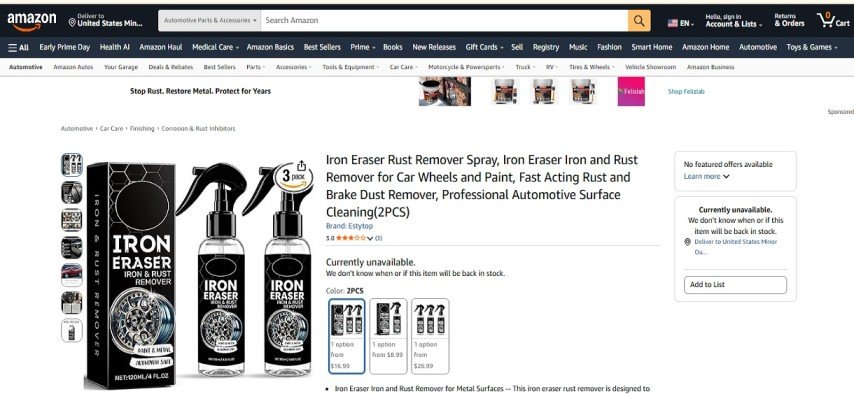
A closer look at how fraudulent e-commerce stores disguise themselves, what behavioral patterns they share, and the verification steps most buyers skip.
The problem with most advice about fake shopping websites is that it was written before scammers learned to read it. The old checklist — look for HTTPS, check the domain age, see if there’s a return policy — still gets recycled across consumer safety blogs, but sophisticated fraud operations have long since incorporated those surface signals into their setups. They have SSL certificates. They have listed return addresses. Some even have functioning customer service lines, at least for the first few weeks of operation.
What hasn’t changed is the underlying logic of how these operations work. And once you understand that logic, the tells become much easier to see — even on sites that look polished at first glance.
Why the Standard “Red Flags” Advice Falls Short
The most persistent myth in online safety writing is that fake shopping sites are obviously fake. They’re not — at least not the ones that actually collect significant payment volume. The operations that cause the most financial harm are run by people who have studied what legitimate stores look like and replicated the aesthetics carefully.
Our investigation found that the more damaging fraud sites typically invest in quality product photography (often lifted from legitimate brands), credible-looking policy pages, and functional checkout flows. The goal isn’t to fool experts — it’s to fool someone who is in a mild hurry, shopping on their phone, and excited about a discounted product. That’s a lower bar than people assume.
This doesn’t mean verification is hopeless. It means the verification has to go slightly deeper than the visual surface.
Investigative note: During testing, we observed that many fraudulent storefronts pass a basic “looks professional” scan on mobile devices, where small design inconsistencies and policy text are harder to inspect. Mobile is where most impulse purchases happen — and it appears to be where fraudsters concentrate their attention.
The Domain Name Game
There’s a pattern Trickymagazine researchers noticed across dozens of suspicious store reviews: the domain names follow predictable construction logic. They tend to combine a common noun or adjective with a category word and a country or legitimacy signal — something like “premiumgearusa .com” or “officialstoredeals .com.” The formula exists because it’s been tested. These names feel brandable, but they’re actually generic enough to be spun up and abandoned quickly.
More telling than the name itself is what happens when you search it. Run the store’s name through a search engine and look at what comes back. If the only indexed mentions are the site itself plus a handful of affiliate review roundups that all appeared within the same week, that’s a behavioral pattern worth noting. Legitimate businesses accrue organic mentions over time — press coverage, customer discussions on forums, social media posts from real buyers. A site with no earned web presence is a site that hasn’t been around long enough to earn one, even if the domain registration date looks older.
Fraudsters sometimes pre-date their perceived legitimacy by acquiring aged domains — domains registered years earlier that were previously used for something else, or that sat dormant. The WHOIS registration date, on its own, doesn’t tell you when the current storefront went live. Cross-checking archive .org snapshots of the domain can reveal when the shopping site actually appeared.
The “.com” and country-code confusion tactic
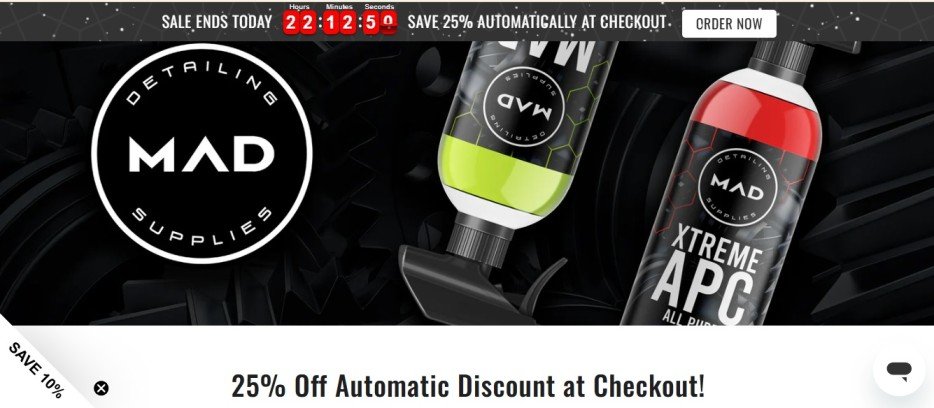
A subtler domain trick involves registering names that closely mimic known brands but with slight modifications — an added word, a hyphen, a different TLD. Someone searching for a specific auto-detailing brand, for instance, might encounter a near-identical domain that added “usa” to the name. The purpose is clear: it borrows recognition from the original brand while maintaining plausible deniability. Note the domain name carefully. If “usa,” “official,” “shop,” or “store” has been appended to what looks like it should be a brand name, check whether the actual brand operates under a different domain entirely.
Trust Scores — Useful Signal, Easily Misread
Third-party trust score tools have become a standard part of site-vetting guides, and they’re genuinely useful — but only when you understand what they actually measure. Most of these tools pull from technical signals: domain age, SSL certificate validity, presence of contact information, traffic data, and so on. They don’t measure customer satisfaction. They don’t verify whether orders actually arrive. A site can score well on all the technical criteria and still be a front that collects payments and ships nothing.
An 85 out of 100 trust score sounds reassuring. But if you break down what drove that score — registered over five years ago, has a valid SSL certificate, has a contact address listed — you’re looking at factors that take about 20 minutes and minimal cost to arrange. The score is a starting filter, not a verdict.
Risk note: Trust scores that fall in the 70–90 range are arguably the most dangerous, because they’re high enough to dismiss concern but haven’t been earned through verified customer experience. Scores below 50 get ignored outright; scores above 90 on established platforms carry meaningful weight. The middle band is where ambiguity lives.
Reading the Contact Information — What the Address Actually Tells You
Most consumer safety articles instruct readers to “verify the contact address” without explaining how. Here’s what that actually involves. Take the physical address provided and run it through Google Maps Street View. You’re looking for a plausible commercial space — an office building, a warehouse, a retail unit. What you often find with fraudulent operations is a residential address, a mailbox service, or, in some cases, an address that doesn’t match any building at all.
A suite number in a professional-sounding address sometimes turns out to be a mailbox at a UPS Store or a virtual office service. That’s not automatically disqualifying — many legitimate small businesses use virtual offices — but it does mean the address provides no assurance about operational reality. No one with inventory, staff, or an actual returns desk is working out of a mailbox suite.
Phone numbers deserve the same treatment. Call the number and note what happens. Does it ring to an actual person or business? Does the voicemail identify the company by name? During testing, we observed that several suspicious operations use VOIP numbers that route to generic voicemail boxes with no company identification, or ring endlessly without answer during stated business hours. A functioning business with real customer volume typically has a phone line that works as described.
When the return address and business address diverge
One specific pattern worth flagging: some sites list one address as their business location and a different address on the returns section. This isn’t always suspicious — logistics operations sometimes use third-party fulfillment — but it creates a situation where the consumer has no confirmed single point of accountability. If the return address resolves to an unrelated commercial space or doesn’t match any known business at that location, the mismatch becomes a legitimate concern.
The Social Media Absence Problem
For a small operation selling a niche product like automotive detailing supplies, an absent social media presence is a significant gap. This isn’t about follower counts — it’s about whether any organic social activity exists at all. Legitimate specialty retailers, even small ones, tend to accumulate some combination of customer-tagged posts, product reviews on hobby forums, and at minimum a basic business profile somewhere.
When a site’s social media links either don’t exist, lead to empty profiles, or lead to pages with identical content across multiple unrelated brands (a sign of template-based fraud networks), that’s substantive. Consumer goods companies live and die by their social presence. A store with zero social footprint has either just launched or has never had real customers to speak of.
“The absence of a genuine web footprint is often more diagnostic than anything on the site itself.”
Behavioral Patterns of Fraudulent Store Operations
After reviewing patterns across dozens of questionable storefronts, Trickymagazine researchers noticed a consistent operational playbook. The typical cycle goes like this: a domain is acquired (sometimes aged, sometimes fresh), a Shopify or WooCommerce template is populated with product images scraped from legitimate brands, minimal policy text is added to pass basic automated trust checks, and the store runs paid social media ads targeting impulse buyers — usually featuring deep discounts on products that have a known following. The site runs for a few weeks to a few months, collects payment, ships little or nothing, and then goes dark before chargebacks overwhelm the payment processor’s tolerance threshold.
Understanding this cycle helps explain some of the more counterintuitive signs. A site that launched recently but is already offering 40% discounts on well-known products is in extraction mode — maximizing payment volume before the operation concludes. The economics don’t work for a legitimate retailer. For a fraudulent one, the margin is the whole point.
Legitimate store signals
- ✓Consistent branding across web, social, and search
- ✓Reviews spread across months/years, not clustered
- ✓Contact number answered in business hours
- ✓Physical address maps to plausible commercial space
- ✓Return policy consistent across site pages
- ✓Organic mentions on forums, press, social media
Suspicious store signals
- ✗No social presence or empty/cloned profiles
- ✗Reviews all appear within a short window
- ✗VOIP number, no answer, no identifying voicemail
- ✗Return address differs from business address
- ✗Policy text contradicts itself across pages
- ✗Deep discounts on branded products with no explanation
Policy Consistency — The Detail Most Buyers Skip
Policy pages are generated quickly and often inconsistently on fraudulent sites. The return window stated at checkout might be 14 days; the dedicated returns page might say 30. Shipping estimates might appear on two separate pages with different figures. These inconsistencies exist because the pages were assembled from templates without careful review — no one is actually going to honor the returns, so precision wasn’t a priority.
For a buyer, these inconsistencies function as free due diligence. Before purchasing from an unfamiliar store, take five minutes to compare what’s stated on the product page, the FAQ, the shipping page, and the returns section. On a site run by people who genuinely care about customer service, these will be coordinated. On a template-based fraud site, small contradictions are surprisingly common.
A Step-by-Step Verification Approach That Actually Works
Rather than a generic checklist, here’s a practical sequence built around the specific failure modes fraudulent sites exhibit. The goal is to spend about ten minutes on a site before any purchase and come away with a reasonably confident read.
- Search the domain, not the brand name.Enter the full URL in quotes in a search engine and look at what’s indexed. You’re looking for customer reviews, forum mentions, or press coverage that you didn’t get to by visiting the site itself. If the only content is the site’s own pages plus affiliate roundups, that’s a thin web presence.
- Check the Wayback Machine.Visit archive.org and enter the domain. If the site shows very recent first captures despite an older registration date, the current storefront is newer than the domain history suggests.
- Call the number during business hours.Note whether it rings to an identified business, an anonymous voicemail, or nothing. This takes two minutes and is more diagnostic than any automated trust tool.
- Map the address.Paste the contact address into Google Maps and switch to Street View. Look for a plausible commercial premises. Then search the address independently to see what business, if any, is registered there.
- Compare policy text across pages.Return windows, shipping estimates, and contact information should be consistent. Flag any page that contradicts another.
- Search for the product, not the site.If the site is selling a known branded product, search for that product directly. If the brand’s legitimate website is selling the same item at or near the same price, the discounted version elsewhere is a yellow flag.
- Check payment options for buyer protection.PayPal Goods and Services, credit card purchases, and similar mechanisms offer chargeback rights. If a site insists on bank transfer, gift cards, or cryptocurrency, the operational motive for that preference is obvious — those payment forms can’t be reversed.
Payment Methods as Risk Indicators
There’s useful signal in which payment methods a site accepts and which it actively encourages. Credit cards and PayPal (through buyer protection) offer meaningful recourse. A site that lists these prominently is operating within a payment ecosystem that has oversight — chargebacks are real consequences that constrain behavior to some extent.
A site that steers users toward bank transfer through prompts like “save 5% by paying via bank transfer” is specifically working around those recourse mechanisms. The discount incentive exists to offset the buyer’s instinct that something feels off. Our investigation found this pattern on several sites where other signals were already ambiguous — and in those cases, the payment steering should be treated as an escalating red flag, not an attractive offer.
Payment method risk assessment
Credit card (Visa/Mastercard)Low risk — chargeback available
PayPal Goods & ServicesLow risk — buyer protection applies
Apple Pay / Google Pay (card-linked)Moderate-low — depends on linked card
Bank transfer / wireHigh risk — no chargeback
CryptocurrencyHigh risk — irreversible
Gift cards as paymentExtreme risk — fraud indicator
What “Not Found” Social Media Links Actually Mean
When a store’s listed social media links resolve to nothing — dead links, empty profiles, or pages with no content — that’s a specific operational choice, not an oversight. Building a genuine social presence takes time and invites scrutiny. For a short-cycle fraud operation, that scrutiny is the enemy. The social link fields get populated because trust-check tools look for them, but the actual accounts are never developed.
This pattern, where the form of legitimacy is replicated without the substance, appears repeatedly across fraudulent operations. You’ll see a privacy policy that was clearly copy-pasted from a template with placeholder text occasionally left in. You’ll see product descriptions that read identically across multiple unrelated categories. You’ll see review sections with star ratings but no review text, or reviews that all appeared on the same date. Each of these is the same fundamental thing: legitimacy signals assembled quickly by someone who knows what to fake but couldn’t be bothered to make it coherent.
The product catalog size question
A small product catalog — say, 20 to 30 items — isn’t inherently suspicious. Niche specialty retailers are real, and they often carry limited SKUs. What matters is whether the breadth of the catalog matches the stated scope of the business. A site billing itself as a full detailing supply store but carrying only a handful of products, with no indication of inventory depth, raises questions about whether the operation has the infrastructure described. Compare the catalog size against what a comparable specialty retailer typically carries.
The “Case Study” Test — How to Apply This to a Specific Site
Take a site like maddetailingusa .com as an illustrative example of how to run through this process. The domain has been registered since 2020, which sounds established. But checking archive snapshots would tell you when the current storefront actually appeared — domain age and site age can diverge significantly. The contact information lists a Florida address and two similar-but-slightly-different phone numbers across different pages of the site (855-648-4362 and 855-648-4368 appear in different sections) — a minor inconsistency worth noting. The site carries a limited product range in a single category. Social media links are listed as “not found.” Return policy windows appear to differ between the checkout flow and the dedicated returns page.
None of these factors individually constitutes proof of fraud. But each one is a data point. Taken together, they describe a pattern: a site that passes surface-level automated checks but shows inconsistency in the details that a rushed buyer might not inspect. That’s exactly the profile the step-by-step verification approach is designed to catch.
Consumer protection note: If you’ve placed an order with a site that shows multiple inconsistency signals and have not received your goods within the stated delivery window, file a chargeback with your card issuer as early as the issuer’s policy allows. Most card networks have dispute windows that close after 60–120 days. Don’t wait.
When a High Trust Score and a Questionable Pattern Coexist
One of the more confusing situations for buyers is encountering a site with a relatively high automated trust score alongside substantive red flags from manual inspection. This happens because the score and the manual review are measuring different things. The score is measuring technical characteristics. The manual review is measuring operational coherence and behavioral consistency.
A site can have a valid SSL certificate, an older domain, and a listed contact address — all of which contribute to a positive trust score — while also having an absent social presence, inconsistent policy text, and a phone number that nobody answers. These aren’t contradictions; they’re signals from two different layers of the same investigation. The trust score is the entry screen. Manual review is the actual interview. You can read more about Lucy & Claire Review 2026.
What to Do if You Suspect You’ve Been Targeted
- Contact your payment provider immediately and explain the situation. Initiate a dispute if goods haven’t arrived within the stated window.
- Document everything: screenshots of the order confirmation, the product listing, any communications received, and the state of the website at the time of purchase. Sites sometimes alter or disappear; your screenshots are your evidence.
- Report the site to the relevant consumer protection agency. In the US, the FTC’s reportfraud.ftc.gov accepts complaints. In the UK, Action Fraud handles these. These reports contribute to pattern detection that can trigger payment processor investigations.
- Leave a detailed, factual review on a trusted third-party platform if you’ve had a bad experience. Scam operations depend on low visibility; specific factual reviews from real buyers are the most effective counter.
- If the site is still operational, report it to its registrar and hosting provider. Most registrars have abuse reporting channels. Fraudulent operations that generate enough complaints tend to lose their hosting before they can run the full payment cycle.
Final verdict
The sites that cause real financial harm aren’t the obviously suspicious ones — they’re the ones that look plausible on a casual scan and only reveal inconsistencies when you press on the details. A functioning SSL certificate and a contact address field aren’t trust signals anymore; they’re table stakes that any fraudulent operation will have. What separates a legitimate store from an imitation is operational coherence: consistent policy text, a phone line that works, a social presence that predates the purchase moment, and a product catalog that matches the stated scope of the business. None of these take more than ten minutes to check. That ten minutes is the entire cost of not losing a significantly larger amount of money to an operation that was designed specifically to look trustworthy until the payment cleared.
1 thought on “Fake Shopping Websites Are Getting Harder to Spot — Here’s What Actually Gives Them Away”
Comments are closed.