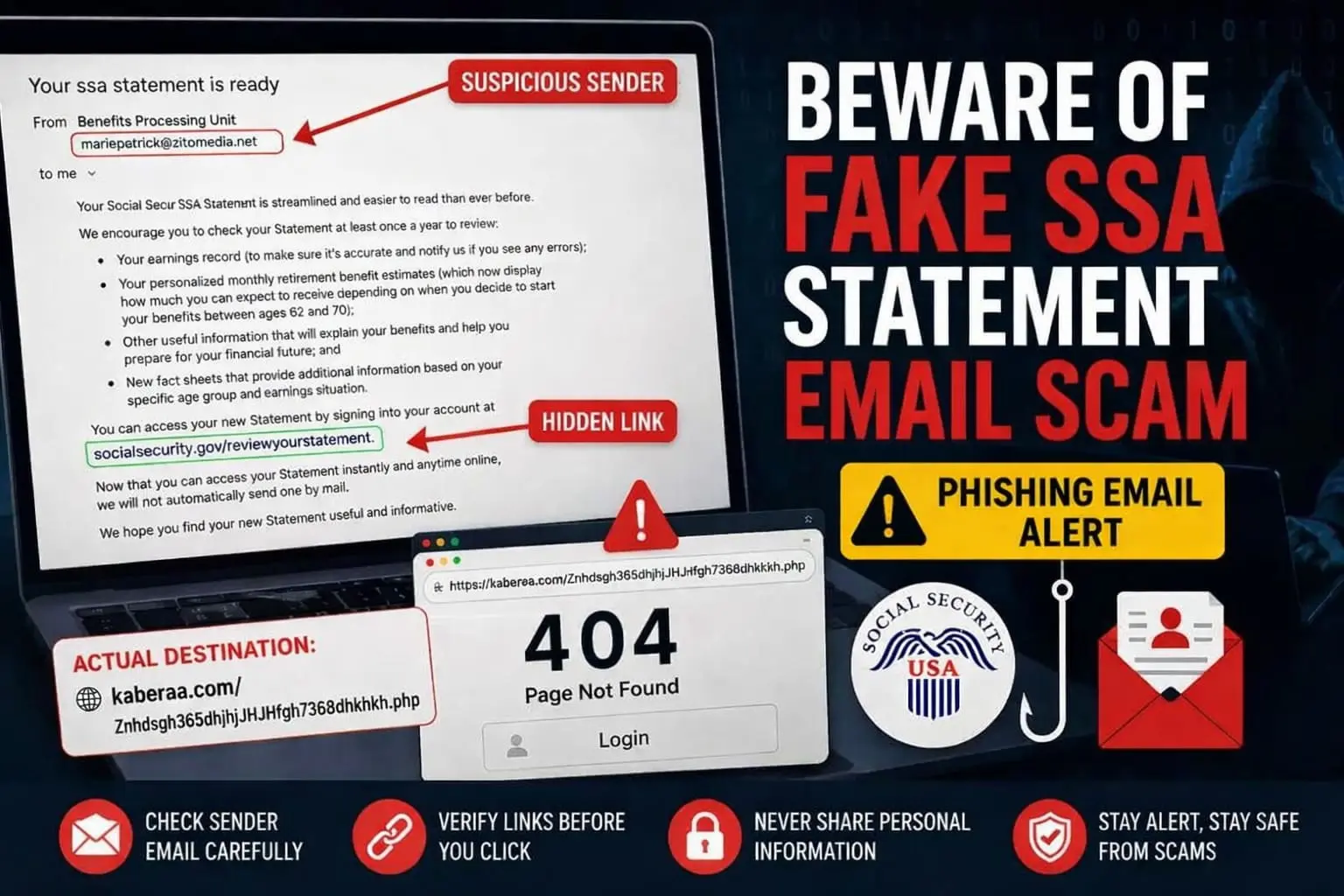
Recently, many users have reported receiving a suspicious “Your SSA Statement is Ready” email sent from mariepetrick@zitomedia.net, claiming to be from a “Benefits Processing Unit” The message appears to reference the U.S. Social Security Administration and encourages recipients to review their Social Security Statement through what looks like an official socialsecurity.gov/reviewyourstatement link redirect to kaberaa com
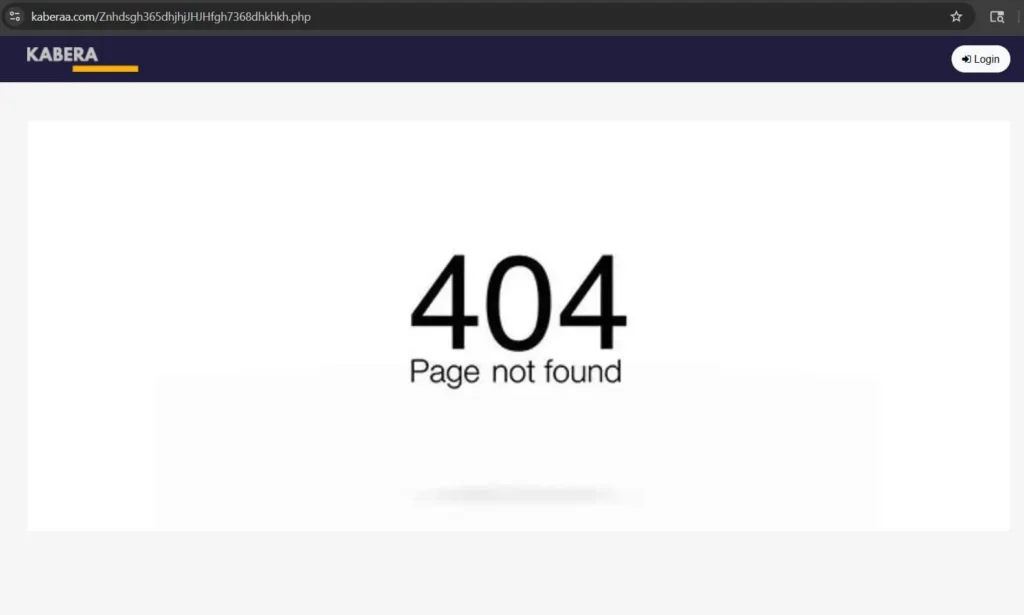
However, multiple reports show that the hidden redirect actually sends users to a suspicious external website called kaberaa.com, including URLs such as https://kaberaa .com/Znhdsgh365dhjhjJHJHfgh7368dhkhkh.php.
At first glance, the email looks convincing because it contains professional wording about retirement benefits, earnings records, and Social Security statements. But security concerns arise because the sender domain is unrelated to the official Social Security Administration, and the redirected website reportedly displays a fake 404 error page along with a login option that may be part of a phishing attempt designed to steal personal information or account credentials.
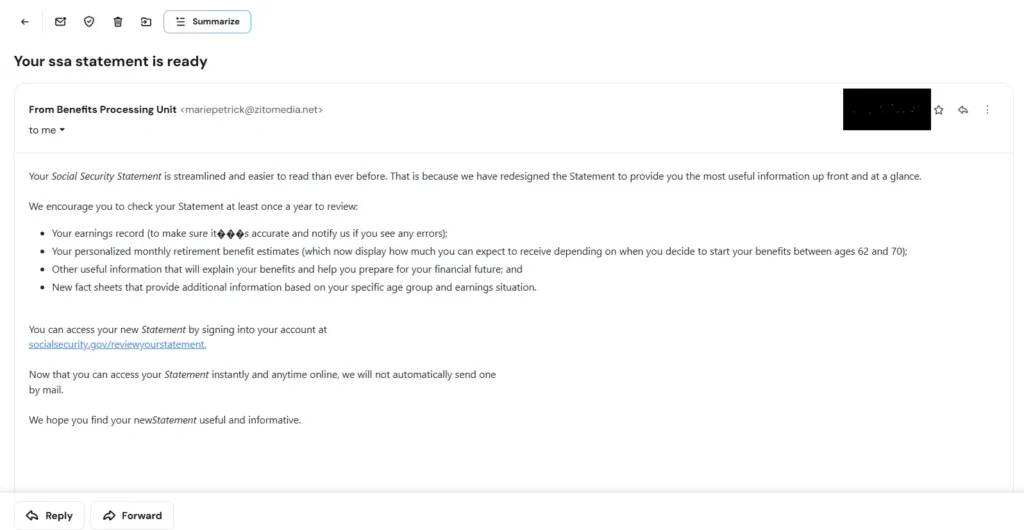
In this article, we will investigate the mariepetrick@zitomedia.net SSA statement email scam, discuss whether kaberaa .com appears suspicious, explain why hidden redirect links are dangerous, and show what users should do if they receive or interact with similar phishing emails.
What Is the Fake SSA Statement Email Scam?
The scam usually starts with an email claiming that your Social Security Statement is available online. The message often says things like:
- “Your SSA statement is ready”
- “Review your earnings record”
- “Check your retirement benefit estimates”
- “Sign in to view your updated statement”
The email may even include realistic information about retirement ages, benefit estimates, and Social Security records to appear authentic.
One major reason people fall for this scam is because the visible link in the email often appears legitimate. For example, the email may display something like:
socialsecurity.gov/reviewyourstatement
But when the user clicks the link, they are secretly redirected to a completely different website controlled by scammers. This is one of the oldest and most effective phishing tricks online.
Example of the Suspicious Redirect
In one reported case, the email appeared to come from: mariepetrick@zitomedia.net
The email claimed to be from a “Benefits Processing Unit” and encouraged the recipient to review their Social Security statement. However, the actual hidden link redirected users to: https://kaberaa .com/…php instead of an official government website.
When opened, the page showed a fake 404 error page along with a login option at the top. This technique is often used by phishing scammers to make the page look less suspicious while still encouraging users to enter credentials.
Why This Email Is Likely a Phishing Scam
Several major red flags indicate that this is not a legitimate Social Security Administration email.
1. The Sender Domain Is Not Government-Owned
Official U.S. government emails related to Social Security generally come from .gov domains.
In this case, the email came from:
@zitomedia.net
which is unrelated to the U.S. government.
Even though the email talks about Social Security benefits, the sender domain does not match the official organization.
2. The Visible Link Does Not Match the Real Link
This is perhaps the biggest warning sign.
The email displays a legitimate-looking Social Security URL, but clicking it redirects users somewhere completely different.
This is called a hidden hyperlink phishing attack.
Scammers know many people do not check where links actually lead before clicking.
3. Suspicious Redirect Domain: Is kaberaa .com Legit?
The redirected website:
kaberaa .com , does not appear connected to the Social Security Administration.
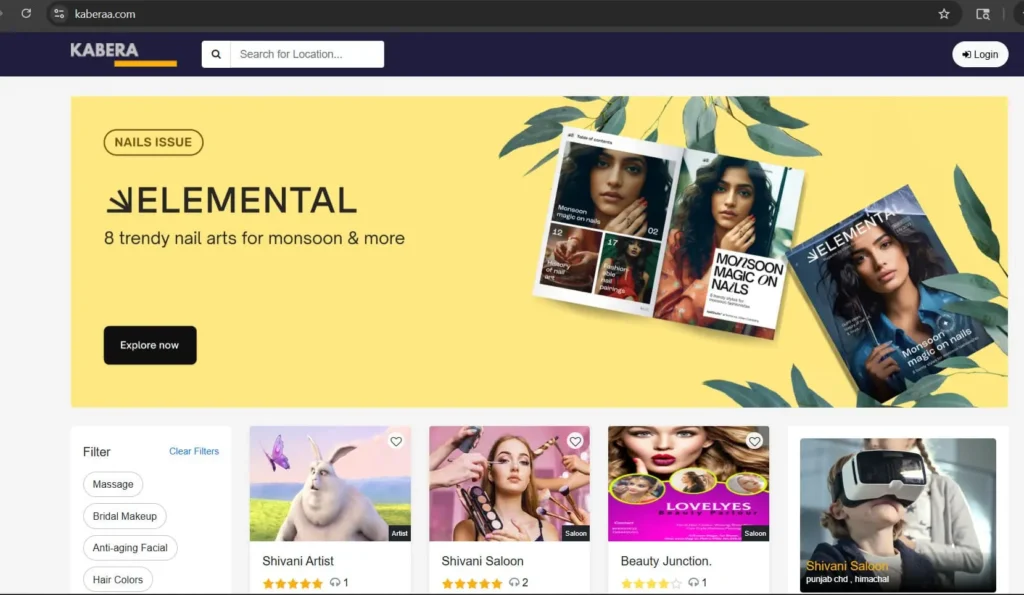
Random domains ending in .php pages with strange character strings are commonly used in phishing attacks because scammers can quickly create and abandon them.
4. Fake 404 Pages Are Common in Phishing Attacks
Many phishing pages intentionally display fake error pages to lower suspicion.
A scammer may show a fake “404 Not Found” page while quietly adding a login button or invisible scripts designed to collect information.
Sometimes these pages are only fully activated for certain users, devices, or locations.
Is Zito Media Legitimate or a Scam?
One confusing part of this scam is that the sender domain belonged to a real company.
Zito Media appears to be a legitimate internet, cable TV, and phone service provider operating in parts of the United States.
This does not necessarily mean the company itself sent the phishing email.
Instead, there are several possible explanations:
- A customer email account under their domain may have been hacked
- One of their mail servers may have been abused
- Attackers may have compromised a mailbox
- Scammers may be spoofing the domain
This is actually common in phishing campaigns. Cybercriminals often use real domains because emails sent from legitimate domains are more likely to bypass spam filters.
So while the phishing email appears suspicious, the company itself may still be legitimate.
Why Scammers Pretend to Be the Social Security Administration
The Social Security Administration is a trusted government organization. Most Americans recognize the name instantly.
Scammers exploit this trust because people are more likely to open emails involving:
- Retirement benefits
- Government records
- Tax information
- Social Security statements
- Benefit updates
- Payment issues
These emails create urgency and encourage users to click links quickly without verifying them.
Many phishing campaigns also target older adults because retirement-related emails may appear more believable to them.
What Happens If You Click the Link?
Simply clicking a phishing link does not always mean your device is infected.
However, the real danger begins if you:
- Enter login credentials
- Submit personal information
- Download files
- Install browser extensions
- Enter banking information
- Provide Social Security numbers
Once scammers obtain this information, they may attempt:
- Identity theft
- Bank fraud
- Credit card fraud
- Account takeovers
- Tax fraud
- Social engineering attacks
Even partial information can sometimes be enough for criminals to launch additional scams.
What To Do If You Received This Email
If you received a similar Social Security statement email, here are some important steps to follow.
Do Not Click More Links
Avoid interacting further with the email or website.
If you already clicked the link, avoid entering any information.
Mark the Email as Phishing
Most email providers allow you to report phishing or spam messages.
This helps email systems improve detection for future users.
Check Your Accounts
Monitor your:
- Email accounts
- Bank accounts
- Credit cards
- Social Security accounts
for suspicious activity.
Change Passwords If Necessary
If you entered any credentials on the suspicious website, change those passwords immediately.
Also enable two-factor authentication whenever possible.
Run a Security Scan
Use trusted antivirus or anti-malware software to scan your device, especially if you downloaded anything.
How To Verify Real Social Security Emails
If you are unsure whether a Social Security-related email is real, follow these tips.
Visit the Website Manually
Instead of clicking links in emails, manually type the official website into your browser.
Official SSA website:
Social Security Administration
Check the Sender Address Carefully
Government organizations typically use official domains.
Be cautious of emails from unrelated domains pretending to discuss government benefits.
Hover Over Links Before Clicking
On desktop devices, hovering your mouse over a link often reveals the true destination URL.
If the destination does not match the visible text, avoid clicking.
Why These Scams Continue To Spread
Phishing remains effective because scammers constantly adapt their tactics.
Modern phishing emails are:
- Better written
- More professional-looking
- Personalized
- Less obvious than older scams
Many attackers now use compromised legitimate domains, making detection harder.
Even experienced internet users can occasionally be fooled by convincing phishing emails.
How To Report a Phishing Scam
If you encounter suspicious emails pretending to be government organizations, consider reporting them to relevant authorities.
You can also use this consumer guide:
How to Report a Scam to the Authorities
Reporting scams may help prevent other users from becoming victims.
Final Thoughts
The fake SSA statement email scam is another reminder that not every professional-looking email can be trusted.Even when the sender appears connected to a real company like Zito Media, the hidden redirect links and suspicious login pages strongly suggest phishing activity.
The most important lesson is simple:Always verify links before clicking, especially when emails involve government agencies, financial information, or account access requests.
Cybercriminals rely on urgency and trust. Taking a few extra seconds to inspect a link could protect your personal information, finances, and online accounts from serious harm.