When I investigate an unfamiliar shopping website, domain age is usually one of the first things I check. It takes less than a minute, requires no technical knowledge, and can immediately expose contradictions that deserve a closer look. A store might claim to have served customers for years, display thousands of glowing testimonials, and describe itself as an established family business, yet its domain may have been registered only a few weeks earlier.
That contradiction matters. It does not automatically prove fraud, because legitimate businesses launch new websites every day. A long-established local retailer can register a new domain, a startup can open a genuine online store this month, and an existing company may switch to a different web address. The mistake is treating domain age either as meaningless or as definitive proof that a site is fraudulent. Neither approach is sensible.
The useful question is not simply, “Is this domain new?” It is: “Does the age and history of this domain make sense when compared with everything the seller is claiming?”
Our investigation found… the most useful clue was not simply whether a domain was new, but whether its age matched the story the seller was telling.
That distinction is what makes domain-age research valuable for ordinary consumers.
What Domain Age Actually Tells You
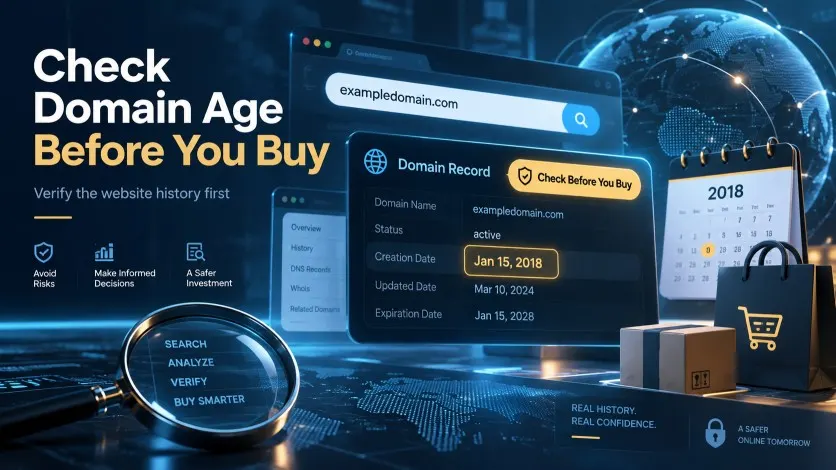
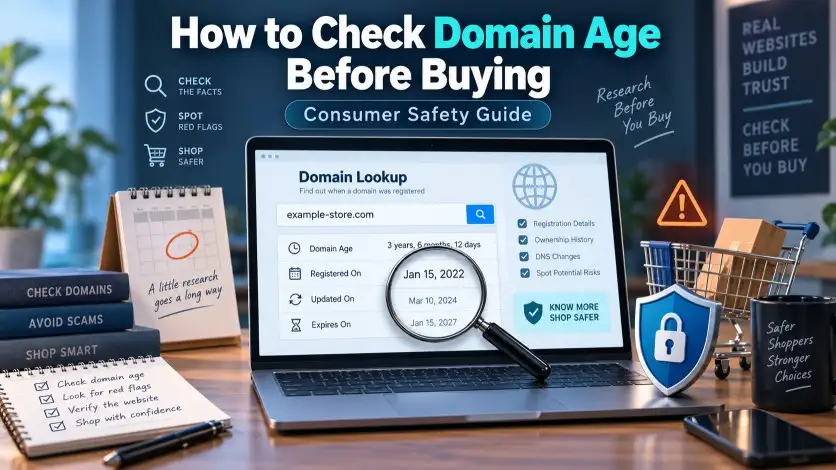
A domain name has registration records associated with it. Depending on the registry and registrar, publicly available registration data can include the domain’s creation date, last update date, expiration date, registrar and nameservers. WHOIS.com, for example, commonly displays fields such as “Registered On,” “Expires On,” and “Updated On” when that information is available.
The date consumers usually care about is the creation or registration date.
Imagine that a lookup shows:
Registered On: August 18, 2026
Updated On: August 18, 2026
Expires On: August 18, 2027
If you are checking the store in September 2026, you now know that the current domain registration is only a few weeks old. That information becomes far more interesting if the website simultaneously says things such as “trusted since 2014,” “over a decade of experience,” or “serving more than 100,000 happy customers worldwide.”
Do not confuse the updated date with the registration date. Domains can be updated because of registrar changes, contact changes, DNS modifications or other administrative events. Similarly, an expiration date one or several years into the future does not tell you how long the business has existed.
Another distinction matters even more: domain age is not automatically company age. A company incorporated in 2010 might launch a new website in 2026. Conversely, somebody can purchase an old domain in 2026 and immediately turn it into a completely different online shop. This is why I treat domain age as a starting point rather than a final verdict.
WHOIS Has Changed: What Consumers Should Use in 2026
For years, people described almost every domain-registration search as a “WHOIS lookup.” That terminology is still widely used, and websites such as WHOIS.com remain convenient for checking registration dates. The underlying registration-data system has changed, though.
ICANN announced that from January 28, 2025, the Registration Data Access Protocol, or RDAP, became the definitive source for generic top-level domain registration information in place of the sunsetted WHOIS protocol. ICANN describes RDAP as the replacement for WHOIS and says it provides standardized responses, secure access, internationalization support and authoritative service discovery.
For an everyday shopping investigation, I normally recommend a two-stage approach. Start with WHOIS.com because its presentation makes the registration date easy to understand. If something looks important or contradictory, confirm the registration information through ICANN’s lookup system or another authoritative RDAP source.
Using two sources is especially useful when you are writing an investigation rather than simply satisfying your curiosity. Third-party domain-checking sites sometimes add their own risk scores, labels or interpretations. I prefer separating the underlying registration facts from somebody else’s automated opinion.
During testing, we observed… that the same registration record can look more dramatic on a third-party checker than it does in the underlying registration data.
That is why the raw date matters more than a colorful “trust score” attached to it.
Why Newly Registered Domains Often Appear in Risky Shopping Investigations
There is nothing suspicious about registering a domain. Millions of perfectly legitimate websites started as brand-new domains. What interests fraud researchers is the disposable nature of online infrastructure.
A domain can be registered quickly, connected to a ready-made ecommerce template and filled with copied product photographs in a short period. Advertising can then push visitors toward the store before the domain develops much independent history. If the operation eventually attracts complaints, payment restrictions, search warnings or negative consumer reports, the operator can potentially move to another name.
This creates an obvious advantage for dishonest sellers: they do not necessarily need a five-year business reputation if their strategy depends on obtaining sales during a short advertising campaign.
The behavioral pattern is often visible on the storefront. There may be a countdown timer, a claim that inventory is almost gone, massive discounts, pop-ups saying other shoppers are purchasing products, and a message suggesting the promotion ends within minutes. None of those marketing techniques independently proves deception, but combined with a domain registered ten days ago, nonexistent business details and questionable payment methods, they tell a different story.
The domain age becomes useful because it gives context to everything else.
How to Check Domain Age Before Buying: My Verification Process
Step 1: Copy the Exact Domain Name
Start with the address shown in your browser, not merely the brand name printed on the website.
Suppose the store calls itself “Northwood Fashion,” but the actual address is northwood-clearance-shop.com. Search the domain that appears in the address bar. Brand names are easy to change; the domain is the infrastructure you are investigating.
Also pay attention to subdomains. If you are visiting shop.example.com, the registered domain is normally example.com, not the entire URL path. Likewise, anything appearing after a slash, such as /collections/shoes, is irrelevant to the registration-age check.
Typos matter too. A single additional letter can lead to a completely different domain.
Step 2: Run a WHOIS.com Search
Go to WHOIS.com and enter the domain name. Look primarily for the Registered On or creation date.
WHOIS.com commonly also shows the expiration date, last updated date, registrar, registration status and nameservers. Those fields can be helpful later, but resist the temptation to overanalyse them before you establish the basic timeline.
Write down the registration date or take a screenshot if you are conducting a formal review.
For a consumer making a purchase, remembering the approximate age is enough. For an investigative article, preserving the exact date is better because it allows readers to verify your reasoning.
Step 3: Confirm Important Findings Through ICANN Lookup or RDAP
If the domain is extremely new, if the website makes age-related claims, or if you intend to publish the information, cross-check it using ICANN’s registration-data lookup service.
As of 2026, ICANN directs users toward its RDAP-based lookup system for current gTLD registration data.
What I want to confirm is simple: does the authoritative registration information support the creation date shown by the convenient third-party lookup?
If both sources point to the same basic timeline, I am much more comfortable using that date in an investigation.
Step 4: Compare the Registration Date With the Website’s Claims
This is where research becomes more useful than simply reading a date.
Search the homepage, About Us page, footer, FAQ and company story for statements about when the business started. Look for phrases such as “since 2015,” “10 years of experience,” “decades of craftsmanship,” or descriptions of an apparently long corporate history.
Now compare those statements with the registration timeline.
A three-week-old domain belonging to a company that clearly says, “We opened our new online store this month,” is perfectly consistent.
A three-week-old domain claiming that the same web store has been a trusted online retailer for 12 years requires an explanation.
The contradiction is the warning sign, not the age alone.
Step 5: Search for Historical Evidence
Domain registration data tells you when the domain was created, but it does not always tell you what the domain was doing throughout its existence.
This becomes especially important with older domains.
Imagine finding a domain created in 2014. At first glance, that sounds reassuring. But suppose historical search results or archived pages indicate that the address belonged to an unrelated personal blog until recently. If it suddenly becomes a luxury electronics store in 2026, the technically old registration does not prove that the current retailer has operated for 12 years.
Expired domains and previously used domains can change hands. Businesses can also legitimately purchase existing domains. Either way, the date must be interpreted carefully.
For higher-value purchases, I look for evidence that the current business identity has a history, not merely that the domain name has existed for a long time.
Step 6: Compare Domain Age With the Wider Digital Footprint
Now search the brand name independently.
Look for older references from sources the business does not control. These might include established social accounts, company registrations, news mentions, genuine customer discussions, long-term marketplace profiles or earlier versions of the business website.
If the domain was registered four years ago and you can find credible references to the same business going back several years, the timeline begins to make sense.
If a domain was registered last week but search results supposedly show hundreds of “customer review” pages dated years earlier, investigate what those results actually refer to. They might belong to another company using a similar name.
TrickyMagazine researchers noticed… that shoppers often look at the “Registered On” date but ignore the surrounding evidence.
That surrounding evidence is usually where the more interesting inconsistencies appear.
How I Interpret Different Domain Ages
I do not use a rule saying that domains under a particular age are scams. That would generate too many false conclusions. I use age bands only as an internal prompt for how much verification I want before spending money.
A domain registered within the past few weeks deserves additional checking when it is operating as a full ecommerce store. The concern rises if the seller is simultaneously advertising unusually deep discounts, hiding its legal identity, using vague policies or presenting itself as an established retailer.
A domain several months old provides somewhat more history to investigate but still does not establish reliability. Plenty of legitimate startups fall into this category, while questionable stores can remain online for months.
Once a domain has existed for several years, domain age becomes less useful as a standalone warning sign. At that point I care more about whether the website’s historical use matches the current business.
An old domain is evidence of an old domain. It is not automatically evidence of an old, reputable business.
That sentence is worth remembering.
A New Domain Plus an Old-Business Story Is More Significant
One of the strongest uses of domain age is detecting timeline contradictions.
Consider a hypothetical website selling outdoor equipment. Its About page says:
“Our family has proudly served online customers since 2013.”
You check the domain and discover it was registered in August 2026.
That does not entitle us to declare the business fraudulent. Perhaps the company operated through another domain, a physical shop, Amazon, Etsy or another marketplace before launching the current site.
A legitimate seller should nevertheless be able to explain that history.
I would look for the previous domain, business registration, historical social profiles, archived pages or independent references to the company. If none can be found and the website carefully creates the impression that this exact online store has existed since 2013, I would consider the discrepancy meaningful.
By comparison, a site saying “We have worked in fashion since 2013 and launched this online store in 2026” presents a coherent timeline.
Same domain age, very different risk interpretation.
Private Registration Details Are Not Automatically Suspicious
This is another area where scam reviews sometimes become unfair.
Consumers may run a lookup and find that the registrant’s personal information is redacted or protected by a privacy service. Some automated review sites immediately describe hidden WHOIS ownership as a major red flag.
I would not go that far.
ICANN policies allow registration data to be redacted in various circumstances, including situations involving applicable privacy law, and legitimate registrants can use privacy or proxy services. ICANN itself explains how these services can prevent a registrant’s personal contact information from being publicly displayed.
A small business owner protecting a home address is very different from a business refusing to identify itself anywhere.
What matters is the wider transparency picture. If registration information is private but the website clearly identifies the operating company, provides a verifiable address, offers responsive support and has a consistent business history, privacy protection is not particularly alarming.
If the domain data is hidden and the website has no company name, no working contact information, no verifiable address and no identifiable operator, the combined lack of transparency becomes more relevant.
Context beats a checkbox.
Practical Example: The 12-Day-Old Clearance Store
Imagine finding a store through a Facebook or Instagram advertisement. It sells premium furniture normally costing $1,200 for $129. Every item is supposedly part of a warehouse clearance. The homepage claims that more than 40,000 customers trust the company.
You check the domain and discover it was registered 12 days ago.
That date alone cannot prove fraud, but I would now ask much tougher questions. Where did 40,000 customers come from? Was the business previously operating elsewhere? Can I find independent evidence of the company before the registration date? Is there an identifiable corporate entity behind it? Are the product photographs original? Do customer reviews exist outside the website?
Now suppose the store also has no telephone number, an address that cannot be connected to the company and policy pages containing another retailer’s name.
At that stage the domain age is no longer an isolated concern. It supports a pattern of inconsistencies.
That is how risk analysis should work.
Practical Example: The Legitimate New Business
Now consider another website registered three weeks ago.
The homepage openly says, “We launched September 2026.” The founders are identified by name, the company can be verified independently, its social pages document preparations for launch, the business address checks out, customer support answers questions, prices are commercially realistic and checkout accepts ordinary protected payment methods.
The domain is extremely young.
I still would not give the store a long-established reputation it has not earned, but the young domain makes sense. There is no mysterious missing history because the seller is not pretending one exists.
This is why “young domain = scam” is poor investigative reasoning.
Practical Example: The Ten-Year-Old Domain That Changed Identity
The opposite case can be even more deceptive.
Suppose a domain was registered in 2016. An automated checker sees that age and produces a reassuring score.
Historical investigation tells another story. The domain previously contained a travel blog, became inactive and later reappeared as an electronics shop selling expensive products.
The domain might genuinely be ten years old while the current store is ten days old.
If you only check the registration date, you can miss this completely.
For older domains, I therefore ask two separate questions: “How old is the domain?” and “How old is the current website or business operating on that domain?”
Those questions sound similar but can produce entirely different answers.
Domain Age Should Be Combined With These Trust Indicators
Once I know the registration timeline, I move to the business itself.
The first thing I want is identity. Who receives the customer’s money? A brand name printed in a logo is not necessarily a legal company name. Check the About, Contact, Terms, Privacy and refund pages for consistent business information.
Next comes contactability. An email address alone is not automatically bad, but a store selling expensive goods should give customers a reasonable way to obtain support. If an address is listed, verify whether it actually corresponds to the claimed business rather than assuming that an address on a webpage is genuine.
Then inspect policies. Copied policies frequently produce strange inconsistencies: a different company name suddenly appears, return addresses conflict, currencies change, or one page promises 30-day returns while another says 14 days.
Prices also deserve context. A genuine retailer can run major sales, but persistent 70–90% discounts on highly desirable products are difficult to ignore when other risk indicators are present.
Reviews should be checked outside the seller’s own website. On-site testimonials are controlled by the business and therefore cannot carry the same weight as independently published consumer experiences. Even external review platforms require judgment; look at dates, patterns and whether reviewers describe specific transactions rather than simply counting stars.
Finally, inspect payment methods. Recoverability matters just as much as trust.
HTTPS Is Security, Not Proof of Legitimacy
The padlock icon has confused shoppers for years.
HTTPS means that communication between your browser and the site is encrypted. That protection is valuable, particularly when transmitting payment or personal information. It does not mean the business operating the website has been independently certified as honest.
The U.S. Federal Trade Commission makes the same distinction in its online-shopping guidance: consumers should look for encrypted connections, but HTTPS itself does not mean a website is legitimate because deceptive sites can use encryption too.
So I treat HTTPS as a basic technical requirement, not as a trust badge.
If an online store does not properly secure sensitive transactions, that is concerning. If it does use HTTPS, it has simply passed one basic security check.
Why Scammers Use Urgency Against the Verification Process
Domain-age checking works partly because it interrupts the psychology used in questionable sales funnels.
A consumer sees a product discounted by 80%. A countdown clock says the price expires in eight minutes. A banner claims only three units remain. Another notification says someone in Chicago purchased the same product 20 seconds ago.
The objective of this design is obvious even when the seller is legitimate: keep the shopper focused on completing the purchase rather than researching it.
For a dishonest operator, that behavioral pressure is particularly useful.
The verification process does the opposite. Instead of asking, “Will I miss the deal?” you start asking, “Who owns this store? When did it appear? Does its history make sense? Can I recover my money if something goes wrong?”
That small change in behavior prevents many impulsive purchases.
A genuine retailer will still be there after you spend five minutes researching it.
What Domain Age Cannot Tell You
Domain age cannot confirm that orders will be delivered. It cannot prove that products are authentic. It cannot establish who currently controls a website, whether customer reviews are genuine, whether refunds will be honored or whether the operator is financially stable.
It also cannot establish that an old domain has always belonged to the same business.
Likewise, a registration date does not prove the date on which the website became operational. Somebody can register a domain and leave it unused for months or years before launching anything.
This is why I dislike reviews that treat a two-week-old registration date as a complete investigation. It is useful evidence, but the responsible wording is something like: “The domain was registered recently, which limits the amount of operating history available for consumers to evaluate.”
That statement describes the risk without pretending to know facts that have not been established.
Safer Payment Choices Matter When the Site Is Unfamiliar
Even after research, online shopping always carries some transaction risk. Payment choice can determine how difficult the situation becomes if something goes wrong.
The FTC recommends paying by credit card when possible because credit cards provide protections that may allow consumers to dispute certain charges. Its online-shopping guidance also warns against sellers that insist on difficult-to-recover payment methods such as gift cards, wire transfers, payment apps or cryptocurrency.
I pay particular attention when an unfamiliar, newly registered ecommerce site steers customers toward irreversible or poorly protected payments.
Again, context matters. Cryptocurrency itself does not prove a seller is dishonest. The problem is the combination of weak business transparency, limited history and a payment mechanism that leaves the buyer with little practical recovery leverage.
Consumers should also preserve evidence. Save the order confirmation, product page, advertised delivery date, return policy, correspondence and payment record. The FTC similarly advises online shoppers to keep records of what they ordered, how much they paid, seller policies and communications.
Those screenshots may become surprisingly important if the website later changes.
My Five-Minute Pre-Purchase Research Routine
For an unfamiliar store, I begin with the exact domain and check its registration date on WHOIS.com. If the date is particularly relevant, I verify it using ICANN/RDAP. Then I compare that date with the website’s claims about its history.
Next, I search the business name independently and look for evidence that predates the current website. If the domain is old, I check whether the current store appears to have the same historical identity rather than assuming the domain has always belonged to the same operation.
After that, I verify contact information, company identity and policies. I look for contradictions rather than expecting perfection. Small businesses sometimes have basic websites and limited review histories; that alone does not make them dishonest.
Finally, I consider the transaction itself. A $15 purchase made with a well-protected payment method represents a different practical exposure from transferring $900 to an unknown retailer through an irreversible payment channel.
That is risk analysis in the real world. The answer is rarely contained in one trust score. You can read more about getstryde-dot-co Legit or a Scam? (Complete Analysis)
Common Mistakes Consumers Make When Checking Domain Age
The first mistake is assuming every new domain is fraudulent. That produces unfair conclusions and teaches consumers the wrong lesson.
The second is assuming an old domain is automatically safe. Domains can be sold, repurposed and relaunched.
The third is confusing domain age with business age. They may be related, but they are not the same fact.
The fourth is treating private registration information as proof that an owner has something to hide. Modern registration-data policies and legitimate privacy services make that assumption unreliable.
The fifth is trusting automated domain-age or scam scores without checking the underlying evidence. A score can help direct your attention, but I want to know why the score exists before I let it influence a purchase.
The sixth is failing to compare dates. The registration date becomes much more useful when matched against testimonial dates, copyright statements, claimed years of operation, social-account history and the website’s own company story.
Expert Risk Analysis: What Makes a Young Domain More Concerning?
A recently registered domain moves higher on my risk scale when several additional conditions appear together: the seller claims years of history that cannot be independently verified, prices are unusually low, corporate identity is unclear, contact information cannot be verified, policies contain contradictions, independent customer history is absent, social advertisements rely heavily on urgency, and payment methods reduce the buyer’s ability to recover money.
I would be far less concerned about the same young domain when the website openly acknowledges its recent launch, the company behind it is independently verifiable, ownership and contact information are coherent, pricing is realistic, policies appear original and consistent, support responds normally, and customers can use conventional protected payment methods.
Notice what changed between those two examples.
Not the domain age.
The surrounding evidence changed.
That is why professional-looking scam detection should never reduce a website to a single red or green signal. You can read more about How Scammers Create Fake Online Stores!
Final Verdict: Check the Domain Age, Then Investigate the Story Behind It
During testing, we observed checking domain age before buying from an unfamiliar website is one of the quickest consumer-safety checks you can perform. I recommend doing it, particularly when a store appears suddenly through social media advertising, offers expensive products at unusually deep discounts or claims a long history that you cannot independently confirm.
Start with WHOIS.com to identify the registration date, then use ICANN’s RDAP-based lookup when you need authoritative confirmation of current gTLD registration information. Compare the resulting timeline with what the business says about itself, and investigate whether the current store actually has the history implied by the age of its domain.
A recently registered domain should not be described as proof of fraud. It tells us something narrower but still valuable: the current domain has limited registration history. When that fact conflicts with the seller’s marketing story or appears alongside several other warning signs, the risk becomes more meaningful.
An older domain deserves the same analytical discipline. Do not let a ten-year registration date convince you that a store has been selling products for ten years unless the historical evidence supports that conclusion.
The best question I can leave shoppers with is simple: Does the website’s story match its digital history?
If the dates, business identity, policies, independent reputation and payment setup all tell roughly the same story, that consistency is useful. If every part of the investigation seems to tell a different story, delaying the purchase is usually the sensible choice.
Domain age is not a verdict. Used properly, it is an evidence point—and often one of the fastest ways to know where the deeper investigation should begin.
1 thought on “How to Check Domain Age Before Buying From a Website: A Consumer Safety Guide”